Write for speaking, not for scanning
Use short sentences and words you would say aloud. Add line breaks where you want to breathe. One idea per paragraph makes a moving script much easier to follow.
Read the draft once without a camera. If a sentence repeatedly trips you up, simplify it instead of slowing down the whole recording.
Keep the words close to the lens
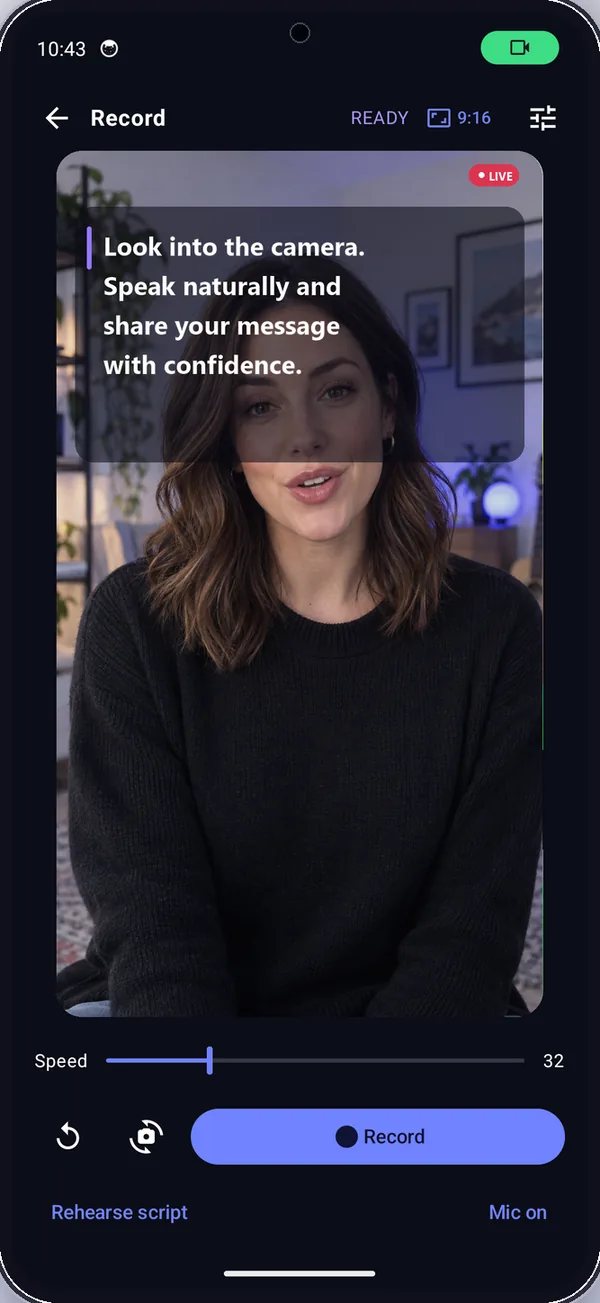
The farther the active line is from the lens, the more your eyes appear to wander. Put the device at eye level and narrow the reading area. On a computer, use the web teleprompter camera preview to see the effect immediately.
Start with generous text size, then tune the speed. A slightly slow prompt is easier to manage than one that forces you to rush.
Record a clean take
Look into the lens during pauses, leave a second before the first sentence and after the last, and make a short test to check light, audio, framing and scroll speed.
In Pocket Teleprompter on Android, select the camera, optional microphone and 9:16, 1:1 or 16:9 format. The finished video saves to the gallery. The website also records with an optional microphone in all three formats, then downloads MP4 or WebM depending on your browser. Video and audio stay on your device.
A practical three-take rehearsal
Use the first take only to set pace. In the second, concentrate on eye line: narrow the text and notice when your eyes leave the camera. For the third, keep the settings and work only on intention, pauses and gestures.
Separating technical setup from delivery stops you changing speed, framing and diction at the same time. If one sentence remains difficult, add a line break before the key word or rewrite it in language you would naturally say.
Before you press Record
- The lens is at eye level
- Do Not Disturb is enabled when appropriate
- The face is lit without overexposing the screen
- The selected microphone has passed a ten-second test
- The opening line leaves time to settle
- The final line is followed by one second of silence
Mistakes that reveal the read
A wide text column creates visible side-to-side eye movement.
An overly fast pace flattens the voice and removes breathing space.
Sentences written for a document rarely sound natural on camera.
FAQ
What teleprompter speed should I use?
There is no universal setting. Start slowly, read aloud and increase in small steps until the text follows your delivery instead of dictating it.
How do I reduce side-to-side eye movement?
Make the text column narrower, increase the font slightly and place the active reading line as close to the lens as possible.